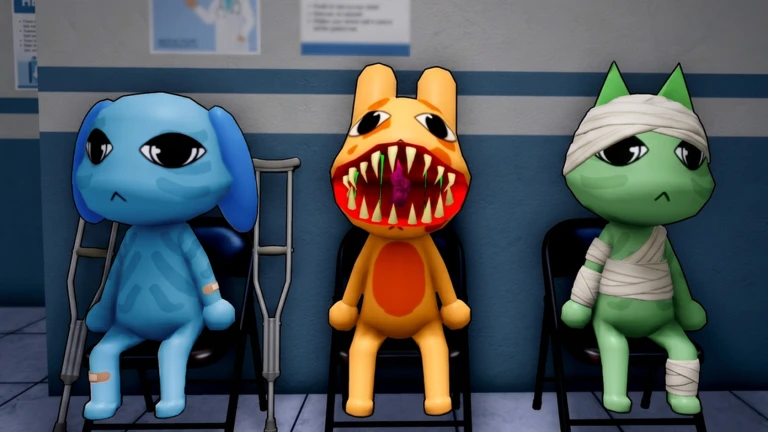
Anomalies
Fake patients hide among real ones, learn desk appearance, photo, CCTV, paperwork, and audio tells before you admit anyone.
By Bloxron Editorial Team · Last updated
Fake patients hide among real visitors at the reception window. Letting them in drains Sanity, spawns interior monsters, and can end your shift early. Check every layer the game offers, appearance, snapshot, CCTV, paperwork, and audio, before you assign a room.
Need a fast pick mid-check-in? Use the Anomaly Checker: pick your layer, tap symptoms, read Shutters. Patient tells are split into Appearance, Photo, CCTV, and, when the UI offers them, paperwork and audio checks at the desk. Interior monsters and map hazards after a miss are on Threats.
Check-in routine
- Stamp paperwork and snap the check-in photo immediately, do not wait on a perfect lobby stare.
- While the polaroid develops on the desk, open CCTV (prioritize the waiting-area camera for body, ears, tail, and face) and scan the same patient for stretched limbs, void bodies, or a stare into the lens.
- Return to the developed photo: if the print does not match the live patient 1:1, hit Shutters. For cursed prints, read the photo on the desk before picking it up to avoid the −10 Sanity penalty.
- Watch each visitor for at least four to five seconds at the window, twitch tells are easy to miss in a one-second glance.
- Keep Taser and Coffee in your inventory when they recharge so a mid-shift Skin Walker or Head Banger does not force a long jog back to reception.
Reject flow
- Visitor reaches the check-in window.
- Run every layer the UI offers, appearance, snapshot, CCTV, then paperwork and audio when those steps appear. One clean layer does not clear another.
- Hit Shutters on the desk left side.
- Shutters drop; the visitor leaves.
- Raise shutters for the next queue entry.
- Rain Shift (Shift 3+): patients arrive as fish / Anglerfish skins, still run the same layers. Anomalies can disguise as fish; puddles restore Sanity (Psychologist doubles that gain), they are not the hazard.
- Flower visitors can look friendly, scan the mouth for hidden fangs, then run appearance, photo, and CCTV.
Appearance anomalies
Visible at the reception window without photo or CCTV, though some can also fail on camera layers. Watch the visitor for several seconds before you admit them.
| Name | How to spot | Fix |
|---|---|---|
| Three Eyes | Three glowing red eyes instead of two, one of the most obvious desk tells. | Shutters |
| Hollow Face Also: Hollow patient | Empty holes where eyes should be, often with a wide frown or blank scowl. If admitted, recovery often triggers a Death Ritual, reject at the window. | Shutters |
| Wide Eyes and Creepy Smile Also: Big Teeth | Bulging or oversized eyes with a fixed, creepy grin. | Shutters |
| Human Teeth Also: Big Teeth | Human-like chompers or an oversized mouth on an animal patient. | Shutters |
| Mismatched Eyes and Sharp Teeth Also: Poorly drawn patient | Eyes at uneven heights plus a stretched grin, or a board-like face with drawn eyes and warped limbs. | Shutters |
| Twitching Also: Limb spasms | Jerky arm, hand, or neck spasms while the model should be still, watch at least four to five seconds. May only show on CCTV for some visitors, recheck the monitor if the lobby view looks clean. | Shutters |
| Staring at the Player Also: Staring patient | Head tracks your movement at the window, step side to side for a few seconds before you admit them. Walk behind the visitor to confirm: a real patient stops tracking; this tell keeps its head locked on you. Not the same as Staring at the Camera on CCTV. | Shutters |
| Human-like Features | Human eyes or a human mouth on an otherwise normal animal visitor. | Shutters |
| Tiny Anomaly Also: Tiny Mimic | Visitor is much shorter than every other patient, often a pink rabbit with three eyes, but other tiny fake forms appear. Easy to miss if you only glance at normal eye height. Random on any shift. Right now every miniature visitor is treated as an anomaly, no safe child patients. Still run photo and CCTV. If admitted, it turns hostile like a Mimic (Taser / Gun). Journal Achievement pays a tiny Animal Coin reward after a check-in; safe desk play still prefers Shutters. | Shutters |
Photo anomalies
Photo Evidence is the umbrella rule: the polaroid must match the live patient 1:1. Some cursed prints drain −10 Sanity if you pick them up and stare, inspect the photo on the desk while it develops before you grab it.
| Name | How to spot | Fix |
|---|---|---|
| Different Eyes Also: Photo Evidence | Eyes on the print differ from the lobby model, extra lids, missing pupils, or a wholly different pair. | Shutters |
| Different Ears Also: Photo Evidence | Ear shape or count on the print does not match the visitor at the window. | Shutters |
| Incorrect Photo Also: Photo Evidence | Wrong species, color, markings, horns missing/extra, or a completely different character on the print. | Shutters |
| Unnatural Photo Also: Photo Evidence | Grotesque teeth, uneven eyes, or a more realistic face on the print than at the window. | Shutters |
| Static Photo Also: Photo Evidence | Heavy static, grain, or blur obscuring the picture while the visitor looks normal live. | Shutters |
| Cursed Photo Also: Photo Evidence | Bloodshot eyes and a fixed grin visible only on the developed print. −10 Sanity if you open and stare at the photo, reject from the desk view when possible. | Shutters |
CCTV anomalies
Some fakes look fine at the window and on the polaroid until you check CCTV. Fix the waiting-area camera first: it shows body, ears, tail, and face in one frame.
| Name | How to spot | Fix |
|---|---|---|
| Censored Eyes Also: JPEG Eyes | Black rectangle or eye-box overlay on the face with drawn eyes on top. | Shutters |
| Unnatural Body Also: Limb stretching | Torso, legs, or limbs stretched, detached, or bent at wrong angles on the feed. | Shutters |
| Hollow Face (CCTV) Also: Hollow patient | Sunken or missing eyes on the monitor even when the lobby view looked passable. If admitted, recovery often triggers a Death Ritual, reject at the window. | Shutters |
| Staring at the Camera Also: Camera Watcher | Patient locks eyes with the lens instead of facing the reception desk. CCTV-only tell: distinct from Staring at the Player at the live window. | Shutters |
| Void Body Also: Shadow patient | Body renders fully black on the feed with features erased. | Shutters |
| Skinwalker at Reception Also: Skinwalker At Reception | Wide open mouth, sharp teeth, or a Skin Walker silhouette visible only on CCTV. | Shutters |
| Mismatched Ears or Eyes | Ear or eye shape on the feed does not match what you noted at the window, subtle lid or pupil differences count. | Shutters |
| Twitching (CCTV) Also: Limb spasms | Spasms visible on the monitor but not in person, watch the feed for four to five seconds. | Shutters |
| Booth Shadow | Dark figure inside the check-in booth on the feed. | Shutters |
Paperwork & audio
Extra check-in layers beyond appearance, photo, and CCTV, use them when the UI surfaces clipboard or voice steps.
| Name | How to spot | Fix |
|---|---|---|
| Missing Appointment | No appointment listed on the clipboard for this visitor. | Shutters |
| Mimic Patient Also: Identity mimic · fake Ratthew | Looks like a recurring face, often a Ratthew lookalike, at intake when that NPC should not be a patient. Photo and CCTV usually pass; catch it by memory and context from early shifts (eye placement, teeth, ears). Usually Shift 4+. Distinct from Tiny Anomaly and from the floor Mimic / Skin Walker enemy. If admitted, it awakens as a Skin Walker / Mimic in the ward. | Shutters |
| Wrong Species or Name | Paperwork species or name does not match the live patient. | Shutters |
| Wrong Appointment Time | Scheduled time on the clipboard does not match the shift clock. | Shutters |
| Distorted Voice | Low, glitched, or wrong-species sounds at the window. Three Eyes often pairs with a voice glitch. | Shutters; recheck photo and CCTV if unsure |
| Reversed Sounds | Reversed or incorrect animal noises during intake. | Shutters |
Rain Shift & flower visitors
Rain Shift (Shift 3+) swaps many check-ins for fish / Anglerfish skins and adds Sanity puddles from leaks, still run every desk layer. Deer visitors may carry flowers; most are real, but some hide fangs behind a friendly face.
| Name | How to spot | Fix |
|---|---|---|
| Rain Axolotl (ear mismatch) Also: Pink axolotl · fish patient | During Rain Shift, a pink axolotl-like patient may look fine at the window but fail CCTV, ears read large live yet small on the waiting-area feed, or the reverse. Compare window, polaroid, and camera before you admit. A "Don't look up" HUD line can appear near this check, finish the desk layers first; do not treat that prompt as clearance to admit. | Shutters |
| Flower Visitor (hidden fangs) Also: Deer with flowers | Deer-like visitor carrying flowers at check-in. Most are real, scan the mouth before you register. Fangs or predator teeth behind a friendly face mean Shutters. Still run photo and CCTV even when the bouquet looks harmless. | Shutters |
Interior threats (summary)
Letting a fake patient in can spawn Skin Walkers, Ghosts, and ward hazards mid-shift. Full counter tables: where each spawns, what guns work, and Sanity costs, live on Threats.
- Skin Walker / Mimic. Taser, Gun, wrong hallway item during treatment, or melee after a bad intake
- Fake Surgery Patient. Taser when it sits up in Room 8
- Ghost: only after a patient death; Fire Extinguisher to reveal, then Taser or Gun from behind
- Head Banger. Coffee at the check-in glass
- Bed Monster. Maple Syrup on red tiles; Hiders lured into the red zone get dragged under
- Slimebert: slime secret shifts only; slow, Taser/Gun immune; extinguisher or Cough Syrup short-stuns; survive the shift
- Tiny Anomaly: miniature desk fake (often pink three-eye rabbit); Shutters; hostile if admitted
- Slime, fire, ceiling, and wall hazards, see map hazard table
After a miss
If a fake patient slips through, interior threats need different counters than Shutters. Timed emergencies such as Death Ritual are on Shift Events; map hazards and weapon rules are on Threats.